
🎉 欢迎访问GreasyFork.Org 镜像站!本镜像站由公众号【爱吃馍】搭建,用于分享脚本。联系邮箱📮

Greasy fork 爱吃馍镜像

Greasy Fork is available in English.

📂 缓存分发状态(共享加速已生效)
🕒 页面同步时间:2026/01/09 10:16:00
🔄 下次更新时间:2026/01/09 11:16:00
手动刷新缓存

تمييز الكود في ChatGPT

إضافة تمييز بناء الجملة لجميع اللغات في ChatGPT (باستخدام highlight.js)

You will need to install an extension such as Tampermonkey, Greasemonkey or Violentmonkey to install this script.

You will need to install an extension such as Tampermonkey to install this script.

You will need to install an extension such as Tampermonkey or Violentmonkey to install this script.

You will need to install an extension such as Tampermonkey or Userscripts to install this script.

You will need to install an extension such as Tampermonkey to install this script.

You will need to install a user script manager extension to install this script.

(I already have a user script manager, let me install it!)

🚀 安装遇到问题?关注公众号获取帮助

公众号二维码

扫码关注【爱吃馍】

回复【脚本】获取最新教程和防失联地址

You will need to install an extension such as Stylus to install this style.

You will need to install an extension such as Stylus to install this style.

ستحتاج إلى تثبيت إضافة مثل Stylus لتثبيت هذا النمط.

ستحتاج إلى تثبيت إضافة لإدارة أنماط المستخدم لتتمكن من تثبيت هذا النمط.

ستحتاج إلى تثبيت إضافة لإدارة أنماط المستخدم لتثبيت هذا النمط.

ستحتاج إلى تثبيت إضافة لإدارة أنماط المستخدم لتثبيت هذا النمط.

(لدي بالفعل مثبت أنماط للمستخدم، دعني أقم بتثبيته!)

🚀 安装遇到问题?关注公众号获取帮助

公众号二维码

扫码关注【爱吃馍】

回复【脚本】获取最新教程和防失联地址

المؤلف
Dreace
التثبيت اليومي
1
إجمالي التثبيت
188
التقييمات
0 0 0
الإصدار
1.2
تم إنشاؤه
31-05-2024
تم تحديثه
26-04-2025
الحجم
22 KB
الترخيص
GPL-3.0
ينطبق على

ChatGPTCodeHighlight

为 ChatGPT 编写的所有语言代码增加高亮显示。 支持 Highlight.js 所有的 192 种语言,与 ChatGPT 主题保持一致。
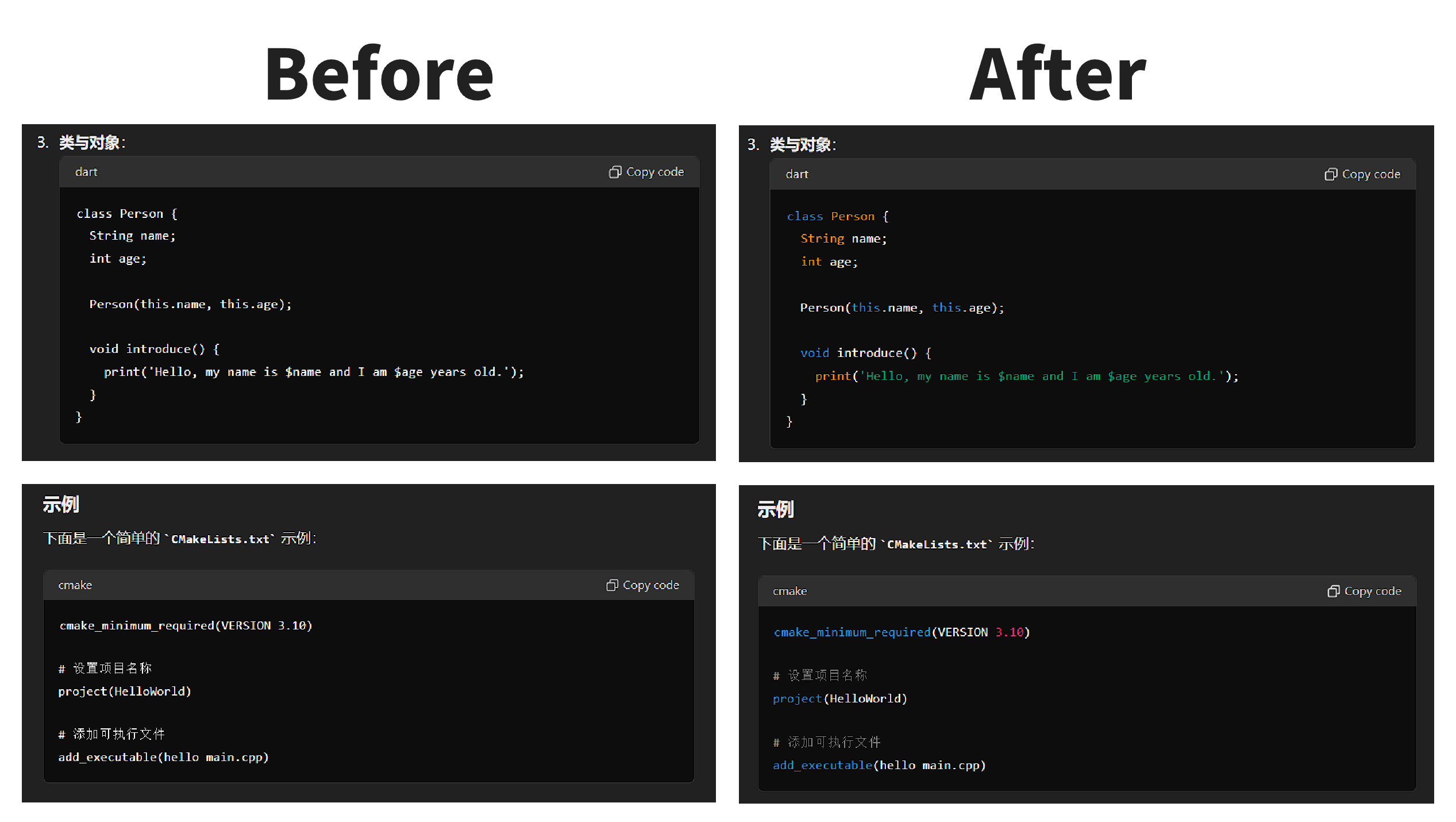
preview

GitHub

安装

使用

  1. 使用「安装」中提到的任意一个插件安装脚本
  2. 打开 https://chatgpt.com/ 进行对话
  3. 查看代码高亮效果

Add syntax highlighting to all language codes written for ChatGPT. Supports all 192 languages of Highlight.js and maintains consistency with the ChatGPT theme.

preview

GitHub

Installation

Usage

  1. Install the script using any of the plugins mentioned in the "Installation" section.
  2. Open https://chatgpt.com/ and start a conversation.
  3. Observe the code highlighting effect.
