
🎉 欢迎访问GreasyFork.Org 镜像站!本镜像站由公众号【爱吃馍】搭建,用于分享脚本。联系邮箱📮

Greasy fork 爱吃馍镜像

ChatGPT Automation Pro

Advanced ChatGPT automation with dynamic templating

You will need to install an extension such as Tampermonkey, Greasemonkey or Violentmonkey to install this script.

You will need to install an extension such as Tampermonkey to install this script.

You will need to install an extension such as Tampermonkey or Violentmonkey to install this script.

You will need to install an extension such as Tampermonkey or Userscripts to install this script.

You will need to install an extension such as Tampermonkey to install this script.

You will need to install a user script manager extension to install this script.

(I already have a user script manager, let me install it!)

🚀 安装遇到问题?关注公众号获取帮助

公众号二维码

扫码关注【爱吃馍】

回复【脚本】获取最新教程和防失联地址

You will need to install an extension such as Stylus to install this style.

You will need to install an extension such as Stylus to install this style.

You will need to install an extension such as Stylus to install this style.

You will need to install a user style manager extension to install this style.

You will need to install a user style manager extension to install this style.

You will need to install a user style manager extension to install this style.

(I already have a user style manager, let me install it!)

🚀 安装遇到问题?关注公众号获取帮助

公众号二维码

扫码关注【爱吃馍】

回复【脚本】获取最新教程和防失联地址

Author
Henry Russell
Daily installs
0
Total installs
12
Ratings
0 0 0
Version
2.9
Created
2025-08-20
Updated
2025-09-02
Size
306 KB
License
MIT
Applies to

# ChatGPT Automator

Automate ChatGPT in your browser: type, send, wait, then run your code on the reply. Batch-friendly. Clean UI. Zero copy-paste.
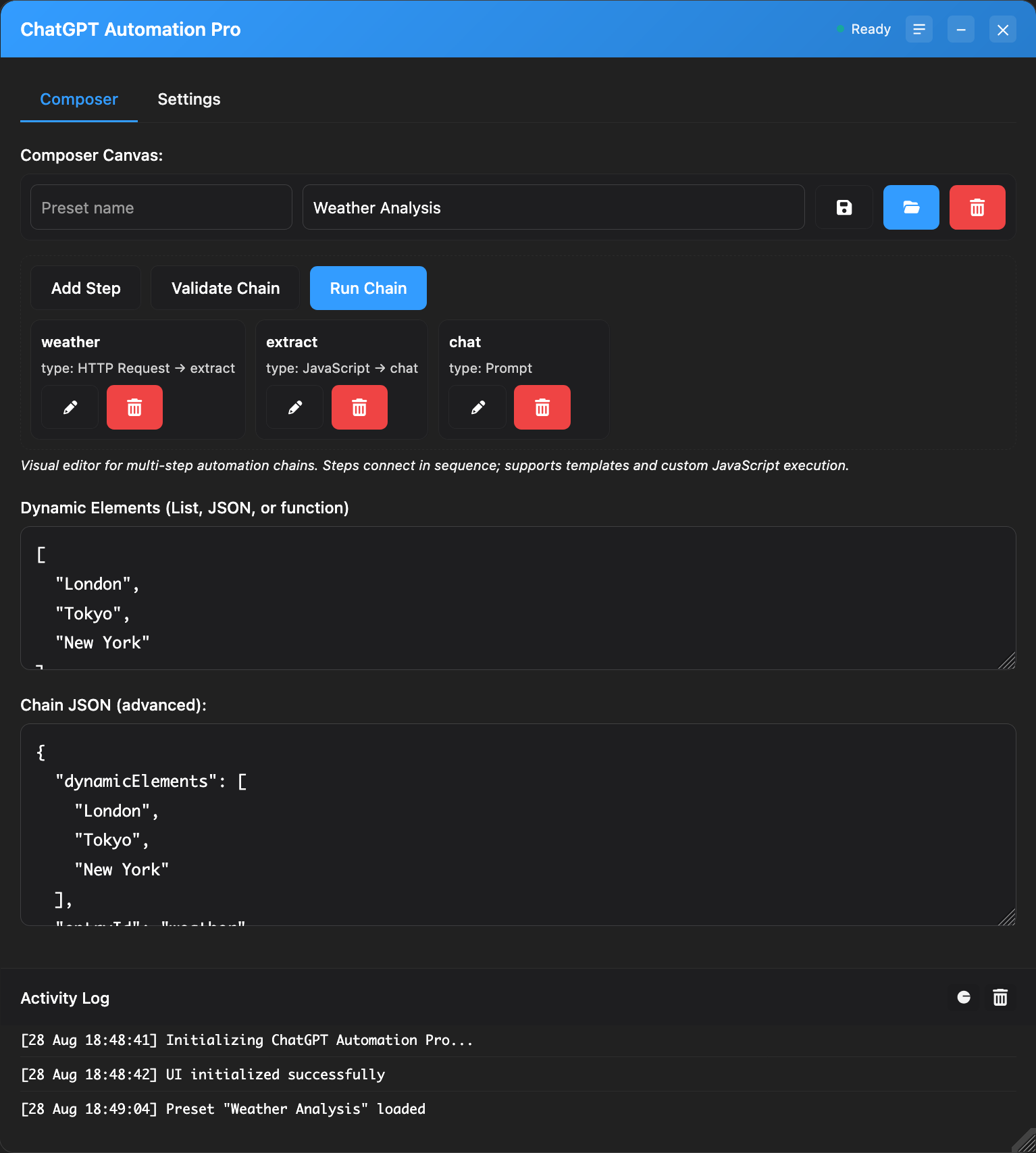


## What it does
- Types and sends your message automatically
- Waits for ChatGPT to finish, then runs your JavaScript
- Batch mode with templates: {item.foo}, {{index}}, nested paths
- Polished panel: tabs, progress, logs, dark mode, saved position
- CORS-safe HTTP helper to call any API from your code

## Quick start
1) Simple tab: paste a message → Send
2) Template tab: add Dynamic Elements (JSON array) and a message template → Send
3) Response (JS) tab: paste code that runs after the reply

Context available to your JS: response, log, console, item, index, total, http

## Handy prompt
- JSON-only output
```
You are a helpful assistant. Output valid JSON only with fields: title, summary. No extra text.
Topic: {item.topic}
```

## Call your APIs
Use the built-in `http` helper (form-encoded):
```js
await http.postForm('https://api.example.com/ingest', {
data: JSON.stringify({ response, item, index, total })
});
```
## License
MIT
