🎉 欢迎访问GreasyFork.Org 镜像站!本镜像站由公众号【爱吃馍】搭建,用于分享脚本。联系邮箱📮

Greasy fork 爱吃馍镜像

微博 [ 图片 | 视频 ] 下载

下载微博(weibo.com)的图片和视频。(支持LivePhoto、短视频、动/静图(9+),可以打包下载)

You will need to install an extension such as Tampermonkey, Greasemonkey or Violentmonkey to install this script.

You will need to install an extension such as Tampermonkey to install this script.

You will need to install an extension such as Tampermonkey or Violentmonkey to install this script.

You will need to install an extension such as Tampermonkey or Userscripts to install this script.

You will need to install an extension such as Tampermonkey to install this script.

You will need to install a user script manager extension to install this script.

(I already have a user script manager, let me install it!)

🚀 安装遇到问题?关注公众号获取帮助

公众号二维码

扫码关注【爱吃馍】

回复【脚本】获取最新教程和防失联地址

You will need to install an extension such as Stylus to install this style.

You will need to install an extension such as Stylus to install this style.

You will need to install an extension such as Stylus to install this style.

You will need to install a user style manager extension to install this style.

You will need to install a user style manager extension to install this style.

You will need to install a user style manager extension to install this style.

(I already have a user style manager, let me install it!)

🚀 安装遇到问题?关注公众号获取帮助

公众号二维码

扫码关注【爱吃馍】

回复【脚本】获取最新教程和防失联地址

Penulis
Mr.Po
Pemasangan harian
1
Total pemasangan
44.435
Nilai
183 8 3
Versi
2.4.6
Dibuat
23 Mei 2019
Diperbarui
25 Juni 2021
Size
47,5 KB
Lisensi
N/A
Berlaku untuk

微博 [ 图片 | 视频 ] 下载


油猴(Tampermonkey)脚本,用于下载微博上的多媒体资源。

支持域名:

  • 微博(weibo.com)
  • 热门微博(d.weibo.com)
  • 微博搜索(s.weibo.com)

此脚本可通过以下链接安装:

https://greasyfork.org/zh-CN/scripts/383402

此脚本开源,开源地址:

https://github.com/Mr-Po/weibo-resource-download


支持资源:

  • 动/静图(9+)、LivePhoto
  • 短视频(秒拍、梨视频、优酷)

暂不支持资源:

  • 直播回放

使用方式:

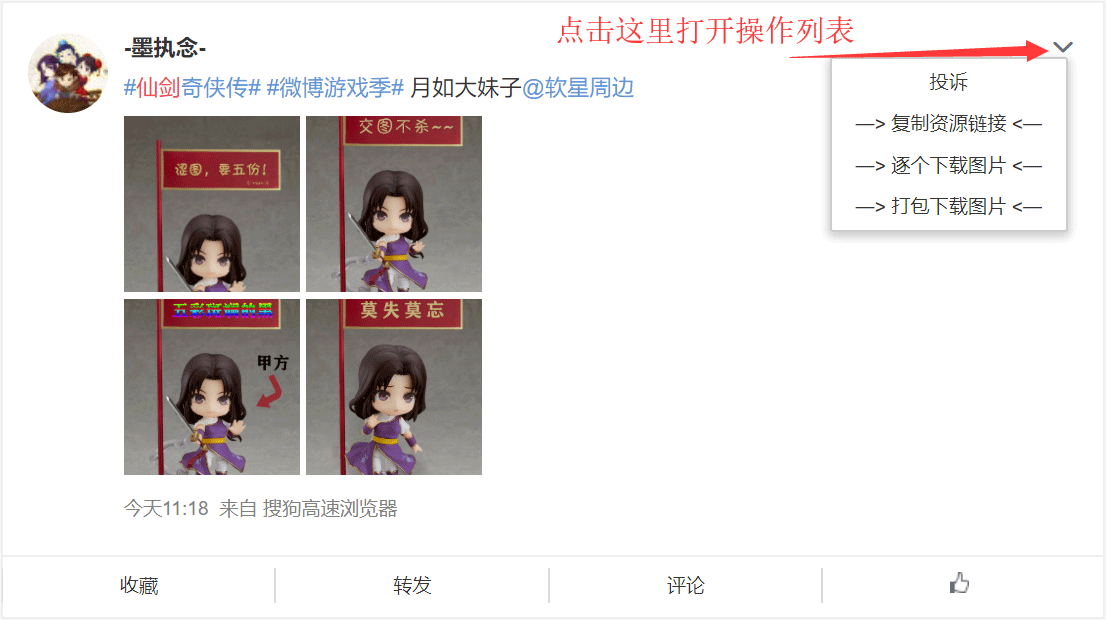
  • 点击单条微博右侧的“下箭头”,打开操作列表。(如图1)
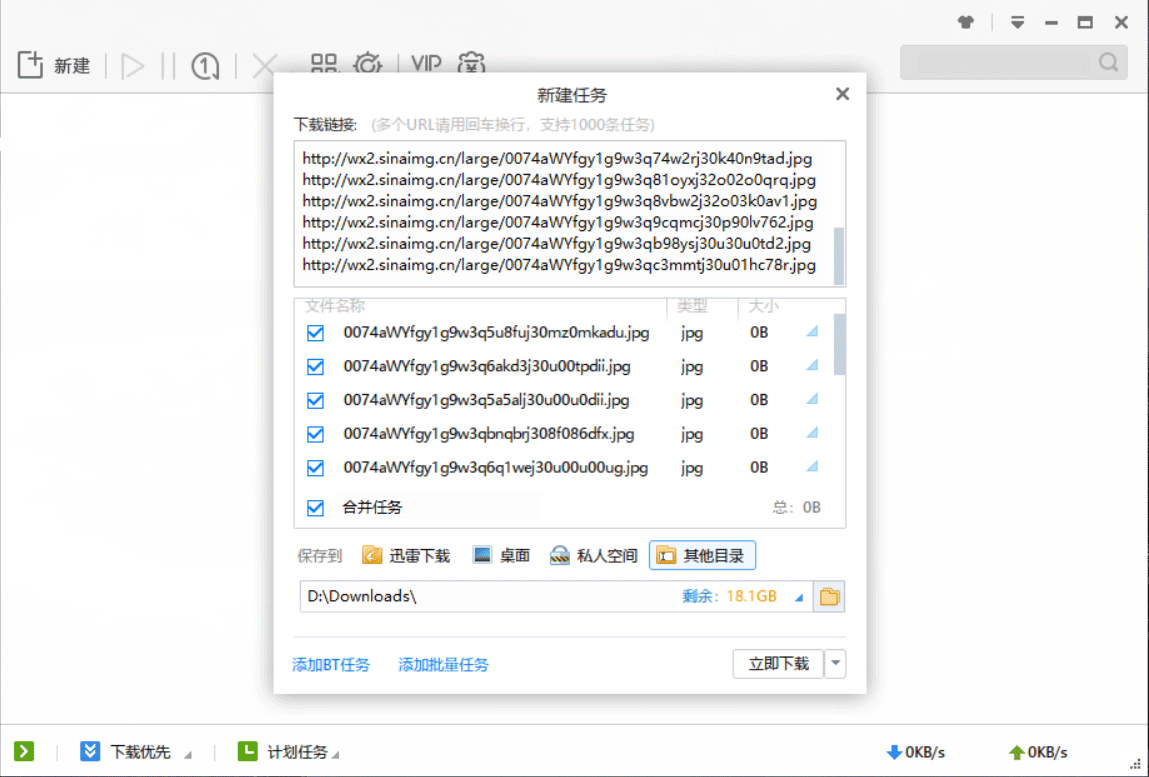
  • 可一键复制资源地址。(由用户自行使用第三方工具下载,适合大批量多条微博资源下载,如图2)
  • 批量下载指定资源。(逐个下载)
  • 打包下载。(将多份资源装入压缩包中,然后下载)
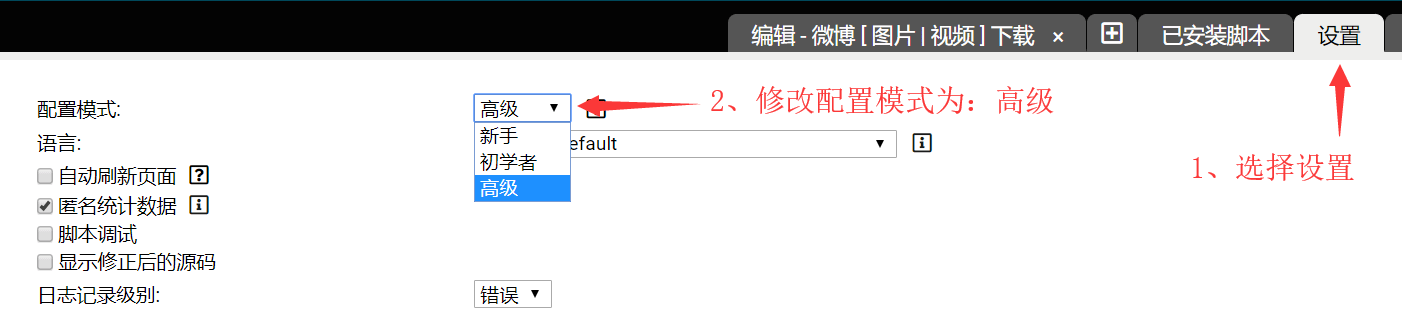
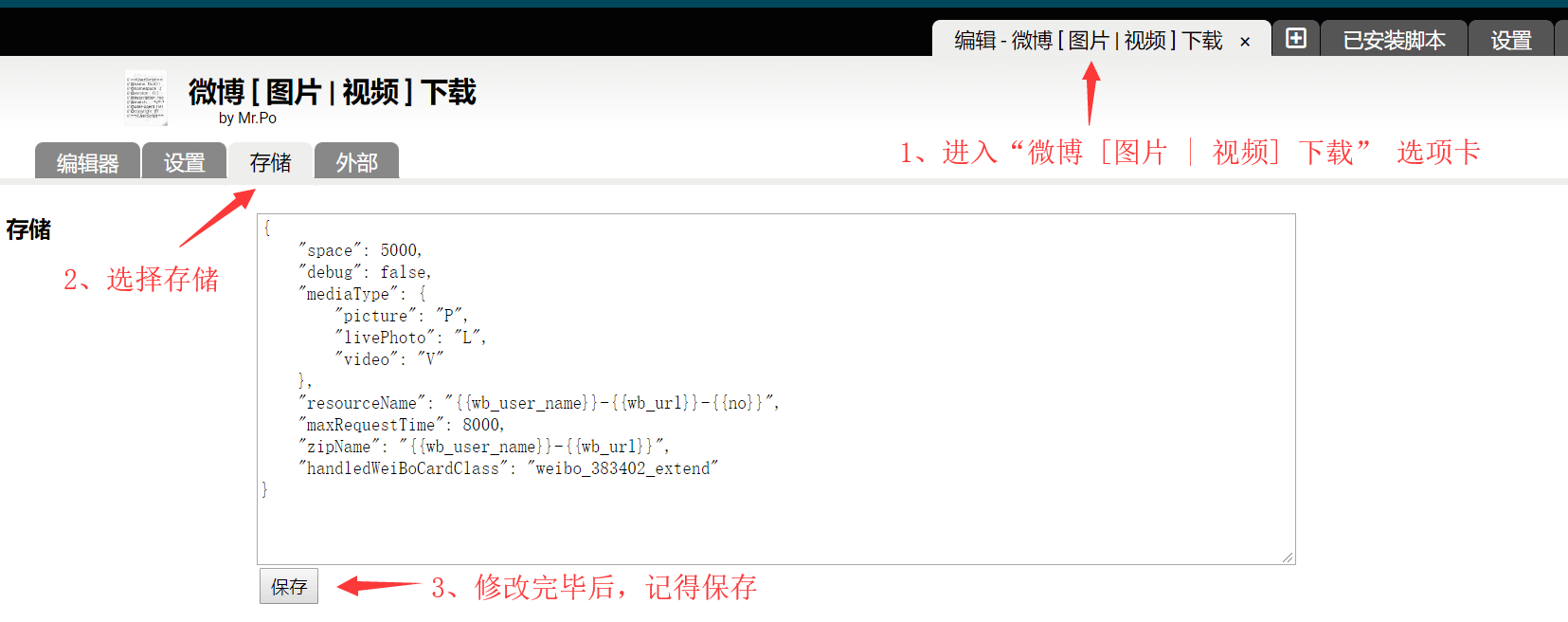
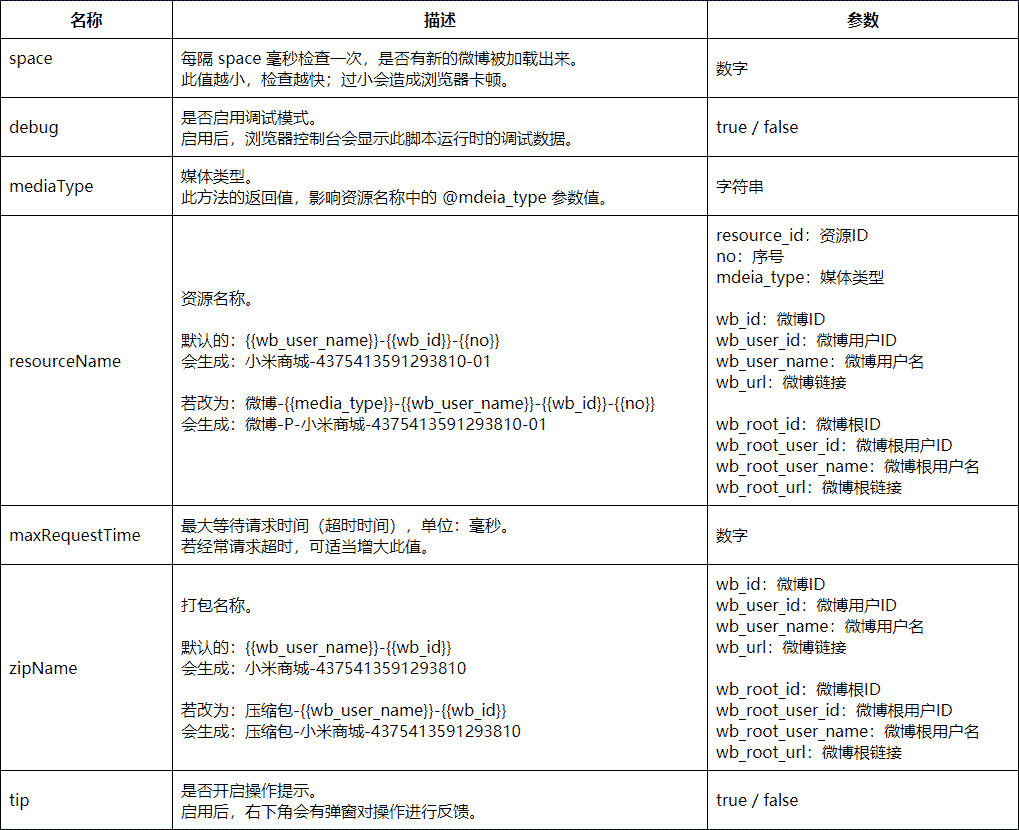
  • 支持自定义资源文件命名。(详见 附录 - 参数配置)

(图1,找到操作列表)


(图2,使用第三方工具下载)


附录 - 参数配置

PS:一般修改 resourceName(资源名称)、zipName(打包名称)即可。