🎉 欢迎访问GreasyFork.Org 镜像站!本镜像站由公众号【爱吃馍】搭建,用于分享脚本。联系邮箱📮

Greasy fork 爱吃馍镜像

Greasy Fork is available in English.

📂 缓存分发状态(共享加速已生效)
🕒 页面同步时间:2026/01/04 13:31:01
🔄 下次更新时间:2026/01/04 14:31:01
手动刷新缓存

YouTube RM3 - Reduce Memory Usage by Reusing Components

A simple tool that runs in the background to reuse YouTube components, thereby reducing memory usage over time.

Dovrai installare un'estensione come Tampermonkey, Greasemonkey o Violentmonkey per installare questo script.

You will need to install an extension such as Tampermonkey to install this script.

Dovrai installare un'estensione come Tampermonkey o Violentmonkey per installare questo script.

Dovrai installare un'estensione come Tampermonkey o Userscripts per installare questo script.

Dovrai installare un'estensione come ad esempio Tampermonkey per installare questo script.

Dovrai installare un gestore di script utente per installare questo script.

(Ho già un gestore di script utente, lasciamelo installare!)

🚀 安装遇到问题?关注公众号获取帮助

公众号二维码

扫码关注【爱吃馍】

回复【脚本】获取最新教程和防失联地址

Dovrai installare un'estensione come ad esempio Stylus per installare questo stile.

Dovrai installare un'estensione come ad esempio Stylus per installare questo stile.

Dovrai installare un'estensione come ad esempio Stylus per installare questo stile.

Dovrai installare un'estensione per la gestione degli stili utente per installare questo stile.

Dovrai installare un'estensione per la gestione degli stili utente per installare questo stile.

Dovrai installare un'estensione per la gestione degli stili utente per installare questo stile.

(Ho già un gestore di stile utente, lasciamelo installare!)

🚀 安装遇到问题?关注公众号获取帮助

公众号二维码

扫码关注【爱吃馍】

回复【脚本】获取最新教程和防失联地址

Autore
𝖢𝖸 𝖥𝗎𝗇𝗀
Installazioni giornaliere
0
Installazioni totali
914
Valutazione
6 0 0
Versione
0.1.0020
Creato il
21/12/2024
Aggiornato il
16/12/2025
Dimensione
31,9 KB
Compatibilità
Compatibile con Firefox Compatibile con Chrome Compatibile con Opera Compatibile con Safari Compatibile con Edge
Licenza
MIT
Applica a

YouTube RM3

Description

Now it work for chatroom elements mostly. The further support is under review.

Way of Test

  1. https://www.youtube.com/watch?v=IKKar5SS29E
  2. Open Chat Room
  3. The pre tickers are shown.
  4. wait for few seconds ( 3s ~ 5s )
  5. change from "top chats" to "all chats"
  6. all content refreshed.
  7. pre tickers disappear.
  8. wait for the next next ticker appears ( sufficient time for 4s CONFIRM_TIME)
  9. the tickers appear would cause less memory increase.
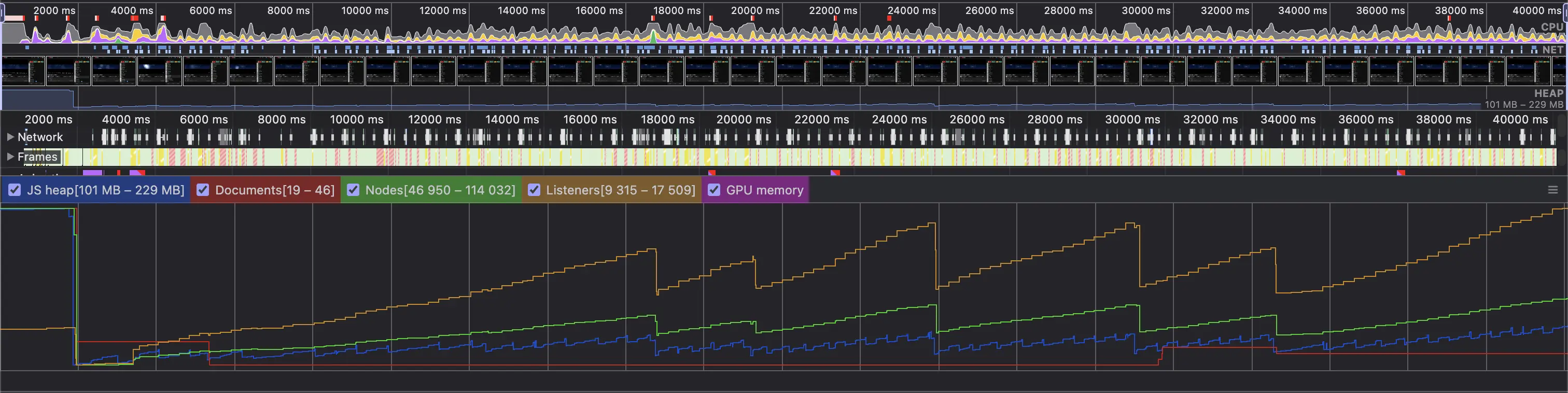
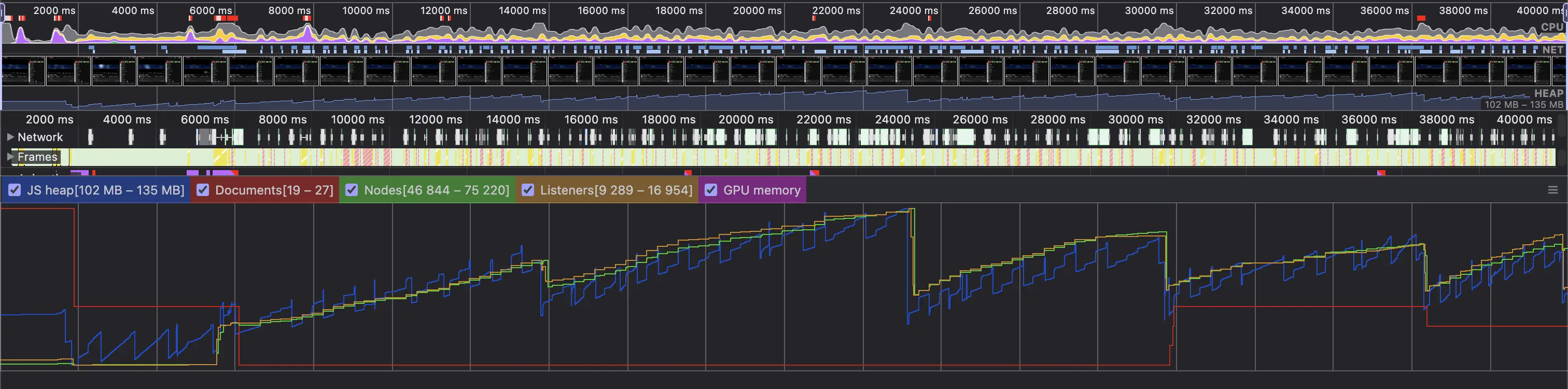
  10. can be verified in DevTools Performance Recording.

General Test (Loading of Chatroom in a Live Archive for 30s)

  1. https://www.youtube.com/watch?v=IKKar5SS29E
  2. Open Chat Room
  3. Play 1s (live chat initialization)
  4. Open DevTools and start record
  5. Record for >30s

Before

After