
युझर स्क्रिप्ट्ससाठीचे संकेतस्थळ Greasy Fork येथे तुमचे स्वागत आहे.
युझर स्क्रिप्ट काय असतात?
User scripts put you in control of your browsing experience. Once installed, they automatically make the sites you visit better by adding features, making them easier to use, or taking out the annoying bits. The user scripts on Greasy Fork were written by other users and posted to share with the world. They're free to install and easy to use.
पाऊल 1 - एखादे युझर स्क्रिप्ट व्यवस्थापक इंस्टॉल करा
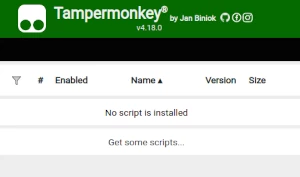
युझर स्क्रिप्ट वापरण्याच्या आधी एक युझर स्क्रिप्ट व्यवस्थापक इंस्टॉल करणे आवश्यक आहे. .तुम्ही कोणता युझर स्क्रिप्ट व्यवस्थापक वापरू शकता हे तुम्ही वापरणार्या ब्राउझरवर अवलंबून आहे.
डेस्कटॉप मोबाइल (अँड्रॉइड) मोबाइल (iOS)
- Chrome: Tampermonkey
- Firefox: Greasemonkey, Tampermonkey, or Violentmonkey
- Safari: Tampermonkey or Userscripts
- Microsoft Edge: Tampermonkey
- Opera: Tampermonkey or Violentmonkey
- Maxthon: Violentmonkey
- AdGuard: (no additional software required)
- Firefox: Greasemonkey, Tampermonkey, or Violentmonkey
- Microsoft Edge: Tampermonkey
- Maxthon: Violentmonkey
- Dolphin: Tampermonkey
- UC: Tampermonkey
- XBrowser
- Safari: Tampermonkey किंवा Userscripts
- Gear: (कोणत्याही अधिक सॉफ्टवेअरची गरज नाही)
पाऊल 2 - युझर स्क्रिप्ट इंस्टॉल करा
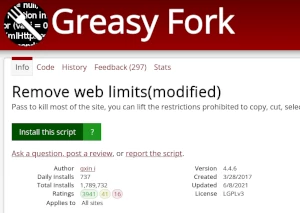
Browse this site to find a user script you want to try. Here is a sample of the most popular scripts:
- Rai Play video download - This script allows you to download videos on Rai Play
- Agar.io image to custom skin - Upload image for custom skin
- मुमू शैली - Moomoo.io/sploop.io मोड [टेक्स्चर पॅक एडिटर/ संगीत प्लेयर/ हॅट कीबिंड्स/ संगीत व्हिज्युअलायझर/ स्किन स्विचर/ अँटी-किक/ ऑटो लॉगिन]
- कस्टम स्टिकर - WhatsApp Web मध्ये कस्टम स्टिकर तयार करा.
- Betway Aviator Predictor - Optimized ML predictor with adjusted pink times and enhanced accuracy
Once you've found a user script, click the green install button on the user script's page, and your user script manager will ask you to confirm the install.
पाऊल 3 - युझर स्क्रिप्ट वापरा
Go to the site the user script affects. It should automatically do its thing. After trying out the user script for a while, go back to where you installed the user script and leave some feedback for the user script's author.