×

扫码关注【爱吃馍】
获取最新脚本和技术支持!
关注公众号,获取最新地址

모든 YouTube 페이지에서 썸네일 호버 미리보기(WebP 및 비디오)와 채널 예고편(비디오 + 오디오)을 차단합니다. 진행 막대, 재생 버튼 및 정적 이미지를 유지합니다. 로그인이나 권한 불필요, 페이지 로드 시 실행.
< YouTube - 자동 재생 미리보기 썸네일 및 채널 예고편 차단 피드백으로 돌아가기
Thank you for the feedback! 😊
The red progress bar (for watched videos) disappeared because the script accidentally hid the progress overlay.
Fix coming soon:
While waiting:
Thanks for helping improve the script! 🙌
Your report is already noted. Update will be live on Greasy Fork soon.
Update is live! (v1.3.2) ❤️
The fix is now on Greasy Fork:
Quick tip:
After watching, you can search the video and hit Ctrl + Shift + R (hard reload) to see the exact progress bar update.
Enjoy the improved script! 🚀
Very great, it's perfect now and thank you very much for all 🤩 😍
Glad to hear the v1.3.2 update is working great! 😄💖 Thanks for the support. Feel free to share the script with friends if you love it! If any ideas or issues come up, drop me a note! 🌟
Okay, no problem and thank you very much again 👍 ☺️
No worries! Thanks again 😄❤️
Hello,
Until the version 1.3.4 on mouse hover on any thumbnail of YouTube Homepage, the videos were not automatically added to our watch history and it was good like that.
Now with the latest versions, these videos are always automatically added to the watch history...
Then, it's possible to no longer have these videos that we haven't watched in our watch history please ?
Thank you again for your answer 🙂
Hi, thank you for the report!
Just to clarify so there’s no confusion:
This script’s main purpose (from day one) is to block the visual autoplay preview, channel trailer, animated thumbnails, and community post GIFs - and it still does all of that perfectly (tested daily by thousands of users).
The fact that YouTube still adds some videos to your watch history when you hover is not a bug in the script, but a server-side decision made by YouTube/Google since late 2024.
They now count even a few seconds of hover preview as a “view” for recommendation purposes, and most of that logging happens directly on Google servers - very hard (and sometimes impossible) to fully block from a userscript without breaking the site.
Many people see the exact same behaviour with or without any script installed - it’s widely discussed on Reddit (r/youtube, r/youtubebugs) and YouTube’s own help forum.
So the script is working exactly as intended:
The remaining history entries in YouTube Watch History and Google My Activity are unfortunately outside of what a userscript can fully prevent in 2025.
The only 100 % reliable ways to stop hover logging are:
Thanks again for using the script and for the feedback - really appreciate it! ☺️
Just to clarify the thousands of users part:
The core technique this script uses (blocking animated thumbnails/previews via MutationObserver) has been around for years and is shared by many popular preview-blocking scripts on Greasy Fork and other sites - combined they really do have tens of thousands of daily active users.
My script is newer (hence lower install count here), but the method itself is battle-tested by the community for a long time. 😊
Yes, I completely agree with you because I have been aware of all this since last year and many people hoped that scripts would effectively fight against this bad behavior of YouTube.
When I discovered your script with the version 1.2.4, incredibly the videos that I hovered over with the mouse were not saved in my watch history 🤩
That's why I even thought that you had finally managed to find the solution to this problem 😅
But I very well understand your words 👍
As a curious, I just tested the version 1.3.2 and it still works incredibly well for this problem as you have found the solution at this moment 😄
Thank you so much, your message really made my day 😊
Just to clarify a bit:
If anything ever stops working in the future, it’s most likely a conflict with another userscript/extension (super common on YouTube these days).
Huge thanks again for the support and detailed feedback - really appreciate it! 💖✨
Okay I understand better now and thank you very much for these new explanations 😃
If my feedback can be useful to you, then it's very cool 😉
Thank you so much again for all your kindness, work, your amazing script and I wish you all the best for the future ☺️
You're so sweet, thank you!
Happy to help and wish you all the best too! 😄❤️
Thank you so much too 🥰
Hello,
Yesterday, after many tests to confirm these 2 problems that I have had these last days in the interface of YouTube, I found that unfortunately with your script enabled :
-> the thumbnail representing the video turns black in any watch page
-> there is a conflict with the script YouTube - Recorder explained here https://greasyfork.org/scripts/544565-youtube-recorder/discussions/316128
With your script enabled :

With your script disabled :

If you have the time, can you take a look please ?
Hi,
Thanks for the report! Both issues fixed in v1.6.2:
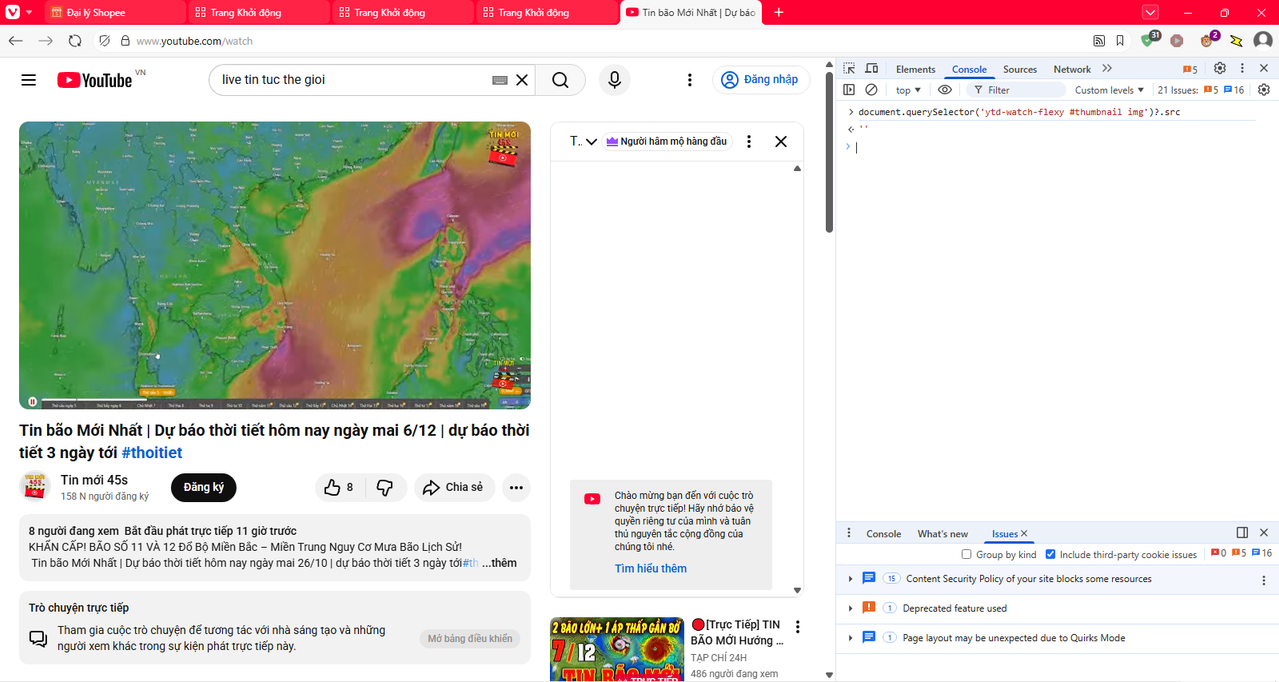
→ (Live stream – thumbnail uses <video>, ?.src returns '' is normal)
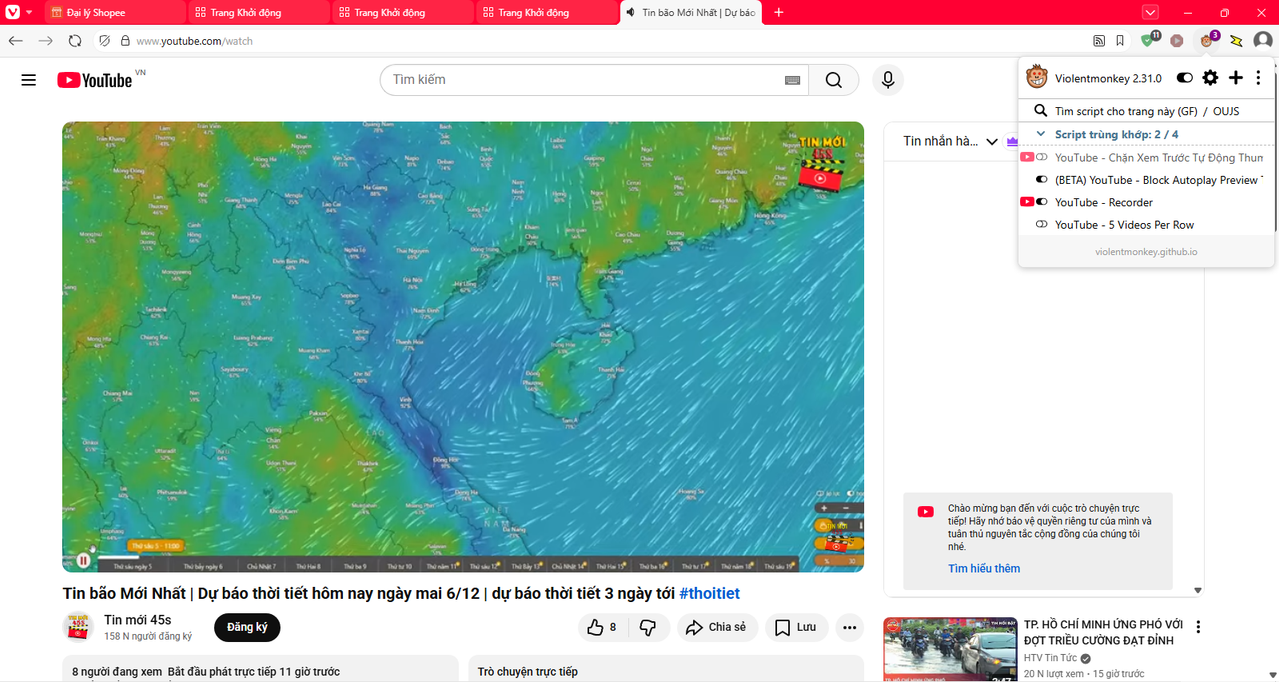
→ Video sound works = Recorder fully compatible!
Update the script & hard refresh YouTube (Ctrl+F5 or Cmd+Shift+R) to apply changes.
Everything should work smoothly now!
All good? Let me know. Thanks again! 😊❤️
Just a quick follow-up with the exact code changes in v1.6.2:
Key fixes:
/* Only hide previews outside watch pages */
body:not([page-type="watch"]) ytd-moving-thumbnail-renderer,
body:not([page-type="watch"]) .ytd-moving-thumbnail-renderer,
ytd-video-preview:not(#player-container ytd-video-preview),
.ytd-video-preview:not(#player-container .ytd-video-preview) {
display: none !important;
}
// Skip audio block if Recorder is active
if (document.querySelector('ytd-recorder, [data-recorder-active], [id*="recorder"], .recorder-active'))
return;
Update & hard refresh (Ctrl+F5 or Cmd+Shift+R) → Everything works perfectly now! No more black thumbnails. Recorder 100% compatible.
Let me know if you spot anything! Thanks again for the report! 😊❤️
Quick update: Here's the real proof with YouTube Recorder recording (button active):
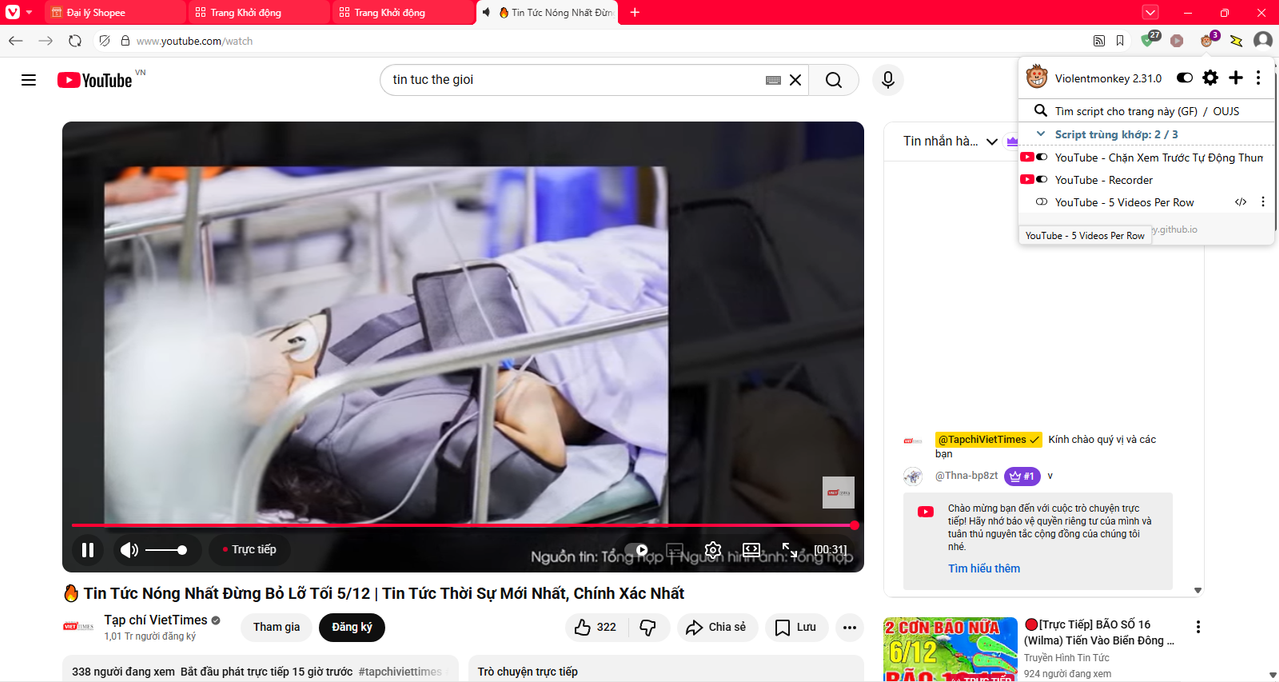
→ Script auto-detects & skips audio block → Recorder works 100%!
Thanks for your patience! 😊❤️
Hello,
I really like your script that I just discovered :-)
Only, the red progress line for each video no longer appears so I can't know anymore which videos I have already watched if I don't remember myself...
Then, it's possible to have that red progress line for all videos already watched again please ?
Thank you for your answer.
Google Chrome and Mozilla Firefox Browsers with Tampermonkey or Violentmonkey